There’s no doubt in my mind that this will be the best keyword research strategy article you’ll ever come across.
I’m going to show you how to do keyword research like a pro.
I’ve been using this strategy for my clients (with a 100% success rate) and for my website (which is now a top SEO blog according to Ahrefs).
And I truly believe that this article is single handedly the most important one I’ve written about SEO.
I’m 10 years into my SEO career, and I only started to get good at keyword research around year 6.
And I’ve found that the better I’ve gotten at keyword research, the more my own website grows and the more money my clients make. This is mainly because I’ve learned how to go after keywords that actually matter.
During my time leading SEO at Webflow, I would just go after every keyword related to website development and web design (what the product does). And through that, I saw that only about 10% of the keywords we were targeting brought in all of the results.
So my keyword research methodology started to evolve around that 10%.
How do I find keywords that I can not only rank high for but that they also bring in qualified buyers to my website? What are those 10% keywords that can do that?
And over time, I built multiple frameworks to help me in my work. And this article will show you that framework. I will literally hand it to you on a silver platter.
Because now that we have AI, I’m going to show you my AI SEO workflow that is powered by detailed prompts that will turn you into a top 0.01% SEO marketer.
I also made a full YouTube video about everything we’ll go over below. So if you prefer to watch me do everything over the shoulder, here you go:
For my readers out there, let’s get started below.
How to to do keyword research step by step
Here are five steps to doing keyword research:
- Understand keyword formats
- Set up a Claude Project with the APTK Framework
- Use Google/Bing/Perplexity autocomplete to find keywords
- Look at ChatGPT query fan outs
- Go creative mode and use filters in Ahrefs or Semrush (optional)
Okay, let's go over each of these step by step.
1. Understand keyword formats
Before you even open up a keyword research tool, you need to figure out what you’re looking for. In other words, you need direction.
This is where understanding keyword formats come into play. You can think of it like this:
- TOFU: These are top of funnel keywords. Usually people searching for things at this stage are aware they have a problem or they’re completely unaware.
- MOFU: These are middle of the funnel keywords. Usually people searching for things at this stage know they have a problem and they’re looking for a solution on how to solve it.
- BOFU: These are bottom of funnel keywords. Usually people at this stage are aware of how to solve their problem and are looking for a solution to do it for them.
This is how you should start to think about the stages of keywords. It’s really important to think about it this way because it allows you to understand the buyers journey. Or as I’d like to say, the user’s search journey.
All of my SEO content strategies start here.
I think deeply about what a potential customer will be searching for at each stage of their journey. From not knowing what my product or service is, to evaluating my product against others in the industry.
The goal is to always show up in the SERPs (search engine results pages) for these queries. This way, people get accustomed to your brand.
Maybe one day they will land on a MOFU article when searching for a guide. Maybe one day they land on a TOFU article when they’re looking for inspiration.
They might not convert right away, but over time, your brand starts to marinate in their mind. Then one day, when they realize they need a product that can solve a particular pain point, they see your brand again and choose you out of familiarity.
This is the core of how you should think about SEO. It’s not something many people talk about when it comes to learning how to do keyword research. But it’s the core of learning how to become a great marketer.
So what do these types of keyword formats look like at each stage? Here’s how I think about it:
TOFU query formats (problem-aware or idea-seeking queries such as):
- Ideas, inspiration, examples, trends
- “What is…”, “why…”, “benefits of…”
- Conceptual tutorials
- Educational or exploratory intent
MOFU query formats (solution-aware, “how-to” or process queries):
- How to do a job
- Frameworks, strategies, templates
- Checklists, workflows
- Implementation-focused queries
- “How to improve…”, “how to build…”, “how to optimize…”
BOFU query formats (product-aware, high-intent queries):
- Best [software/tools/services]
- Comparisons (“x vs y”)
- Alternatives
- Reviews
- Pricing
- Specific service pages
- Product-led landing pages
- “[Service] for [audience]”
These come straight out of my content marketing course if you want to check it out. But don’t worry, in step two, I’m going to show you how to systematize this and I’ll give you a prompt to help you generate these for yourself.
Which brings us nicely into…
2. Set up a Claude project with the APTK Framework
In step 2, the goal is to get a list of topics we can go after. Within those topics, we are then going to look for the right keywords that people are actually searching for and will lead to people doing business with you.
Today, more than ever, topical authority is what matters for search engines and AI search platforms to trust you enough to show your content to their users.
Topical authority is when you cover a specific topic in depth, across multiple pages on your website.
When you develop this, everything you write and publish (within that topic) ranks fast and high in search engines. It takes some time to build this, but the fastest way is to understand the keyword formats from step 1 and to build a plan to stay organized and on track.
I’m going to show you how to do this the right way. And the result will be that search engines trust you as a source of truth in your niche.
For example, I rank really high for “best SEO tools.”
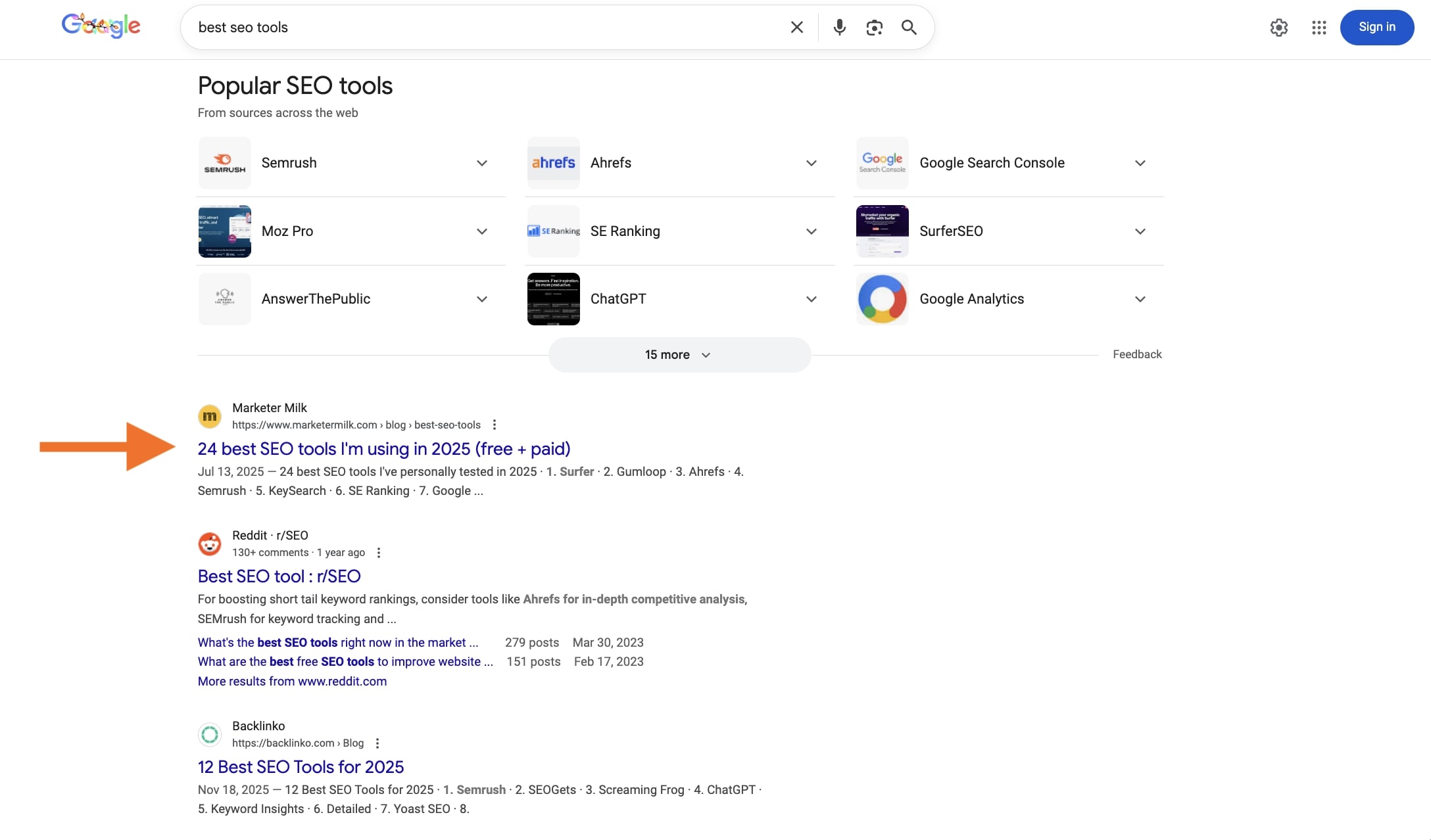
I didn’t just write this one article and it ranked high. I spent 3 years before I even wrote this article writing about other topics within SEO.
I wrote an article about SaaS SEO, I wrote an article about how to write SEO blog posts, I wrote an article about how to create SEO workflows, I wrote articles reviewing actual SEO tools, etc.
These are all separate pages within the theme of SEO, and they’re all interlinked together. If you notice, they’re also at every stage of the user search journey.
So when I wrote the article about the best SEO tools, it ranked really fast and moved up the rankings over a couple of months.
So how do you do this?
Use AI. Not to write AI slop, but to help guide your strategy for the long term. YOU HAVE TO PRIME IT THOUGH! I’ll show you how below.
One AI tool I’ve been using almost every day now is Claude. I love Claude (not sponsored) because of the Claude Projects feature.
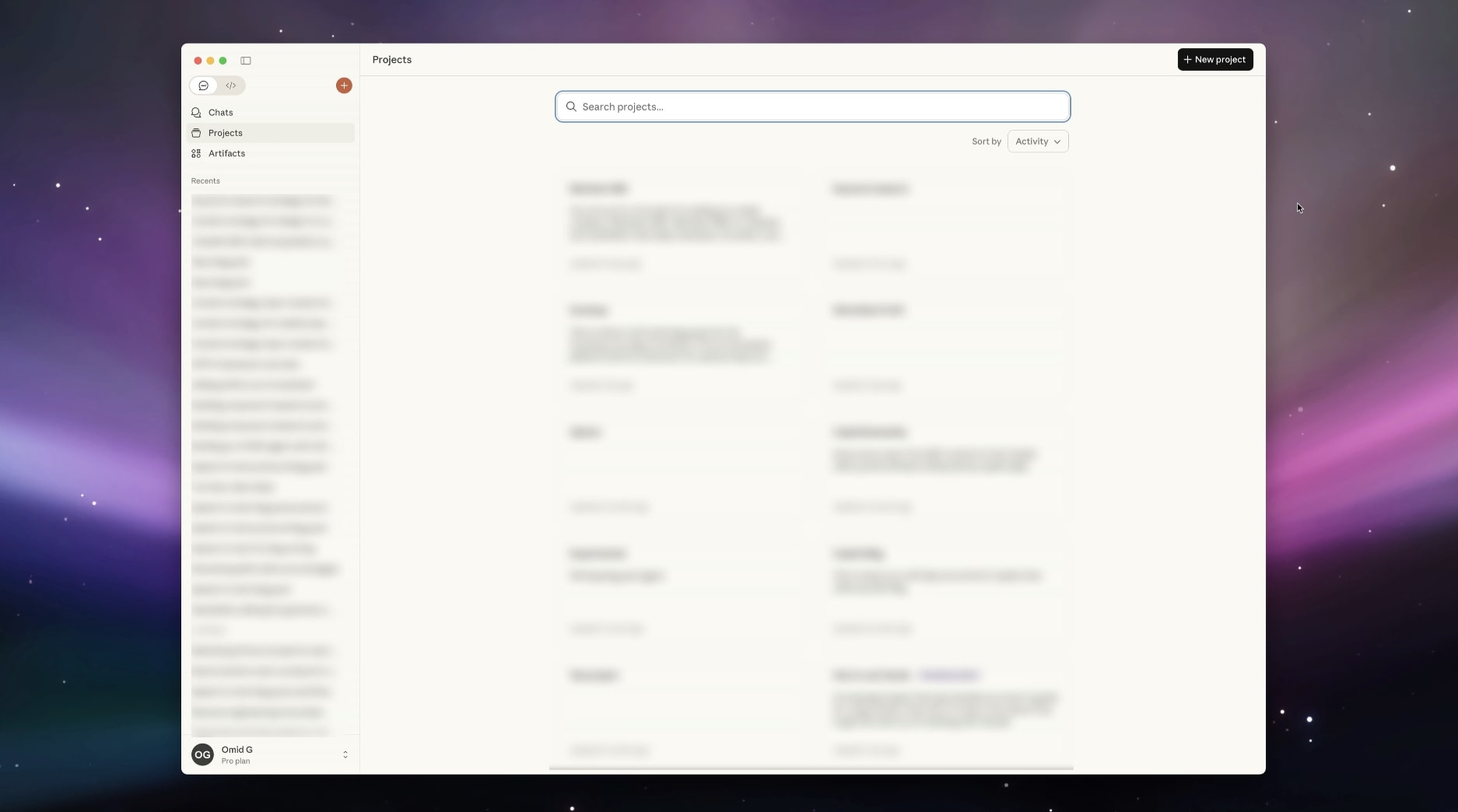
The great thing about Claude Projects is that you can give it instructions, also called skills. So for example, I developed a framework for keyword research called the APTK Framework. You can read all about it here.
The framework is 10 years of my SEO knowledge distilled into a framework. I can simply give this to Claude so it can have my brain. This instruction alone has made me financially free, and generated multiple 8 figures for my clients.
I should charge for this, but I have a hard time charging a lot for information (maybe I should consult with a therapist), so here is the prompt:
It’s really long, I know. But what we are going to do is copy and paste this as an instruction in our Claude Project:
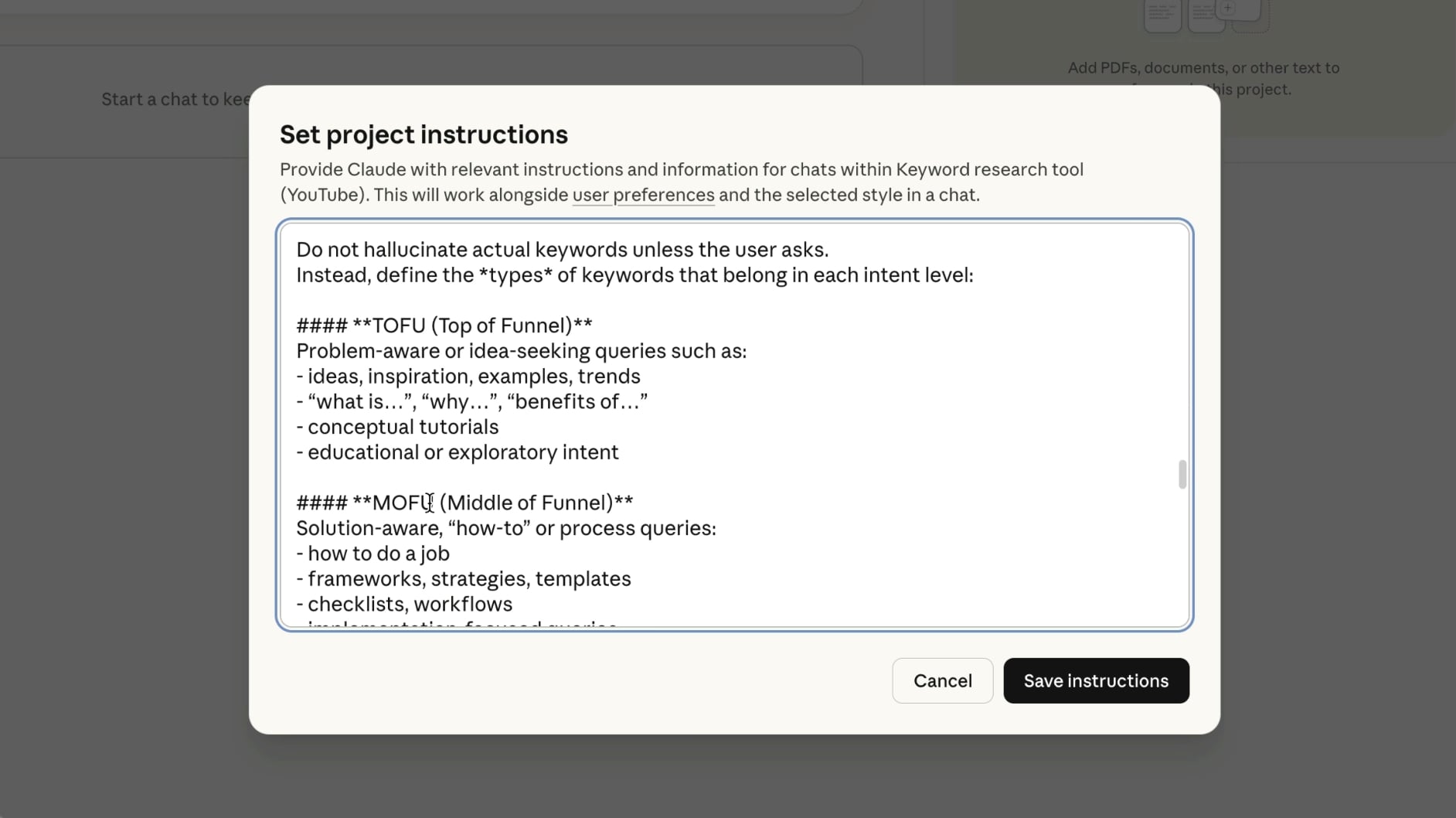
Now, Claude is primed on what the APTK Framework is and how to execute on it. This prompt alone took me days to iterate and build out, so I hope if it’s of value, you subscribe to my free newsletter or share this article with a friend or colleague.
Okay, now that Claude is primed, we need to give it a prompt to help us generate topics that are relevant to our business.
Open a new chat, in the same project you gave the APTK instructions to, and paste this prompt (don’t hit enter yet):
Here, you want to replace the text in the brackets with your own information.
You’ll need:
- Your website URL
- Your target audience, the more detailed the better
- Your products, services, or offers you want to get customers to
For the remainder of this article, I’m going to use the example of creating a keyword strategy for a company called Tempo Labs. It’s a vibe coding tool that allows you to design and develop full web apps.
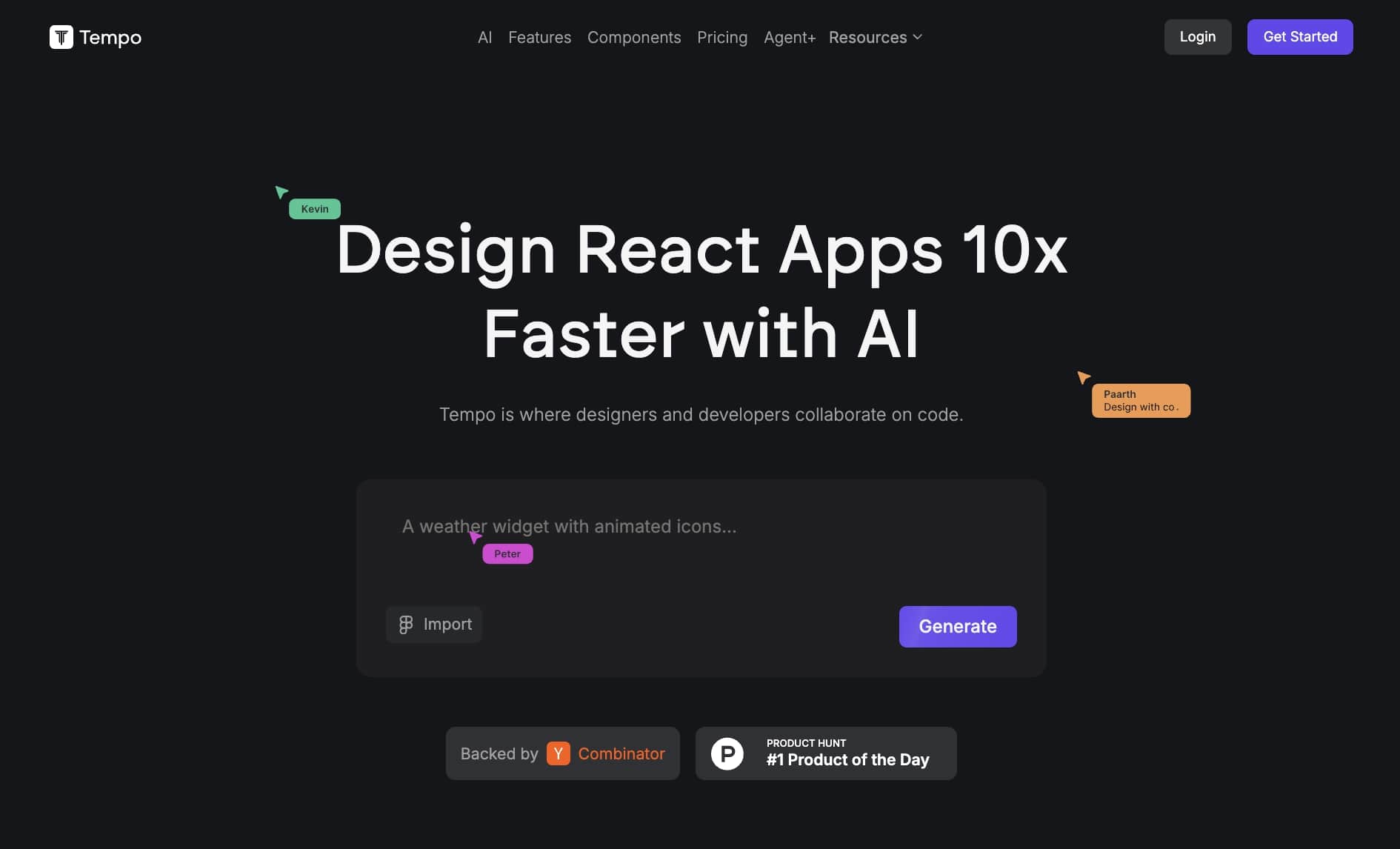
I'm not sponsored by them or anything. I just think it’s a cool tool and because my background is in SaaS SEO, it will allow me to show this strategy the best.
But everything in this keyword research guide can work for ecommerce, media blogs, local service businesses, and software companies.
Okay, here is my prompt in Claude based on the information for Tempo Labs:
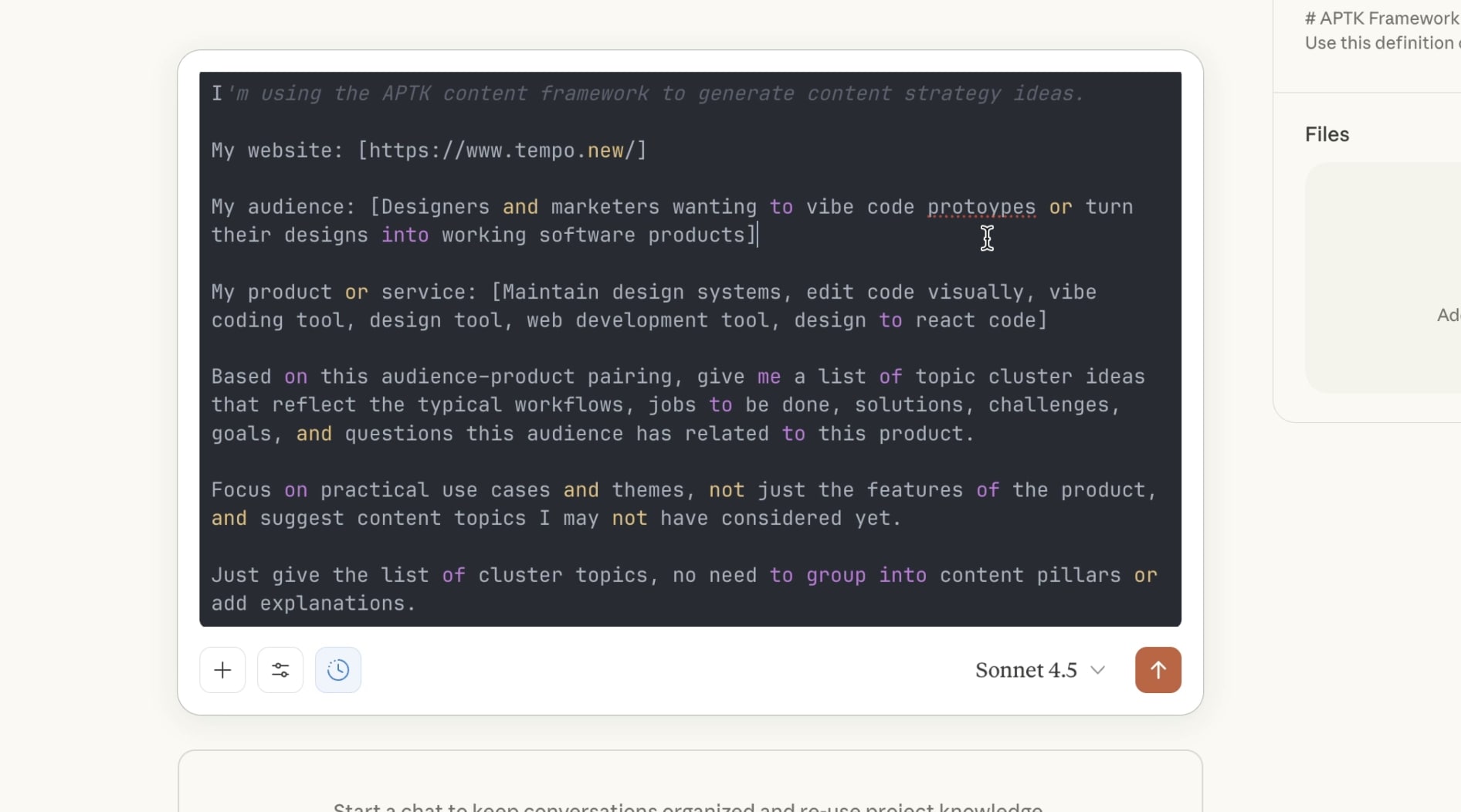
Once you hit enter, remember to input your own data, you’ll get a list of long-tail topics that make sense for your business.
You don’t need to go after all of them, but pick one that you intuitively know is the best option to prioritize. Don’t overthink it, but start with one.
If the topics are still too broad, you can refine them with a 2nd follow up prompt (which I recommend you do).
Next, paste this prompt and hit enter (there’s nothing you need to edit about it):
Now, you will get a list of topics that are simple and easy to understand.
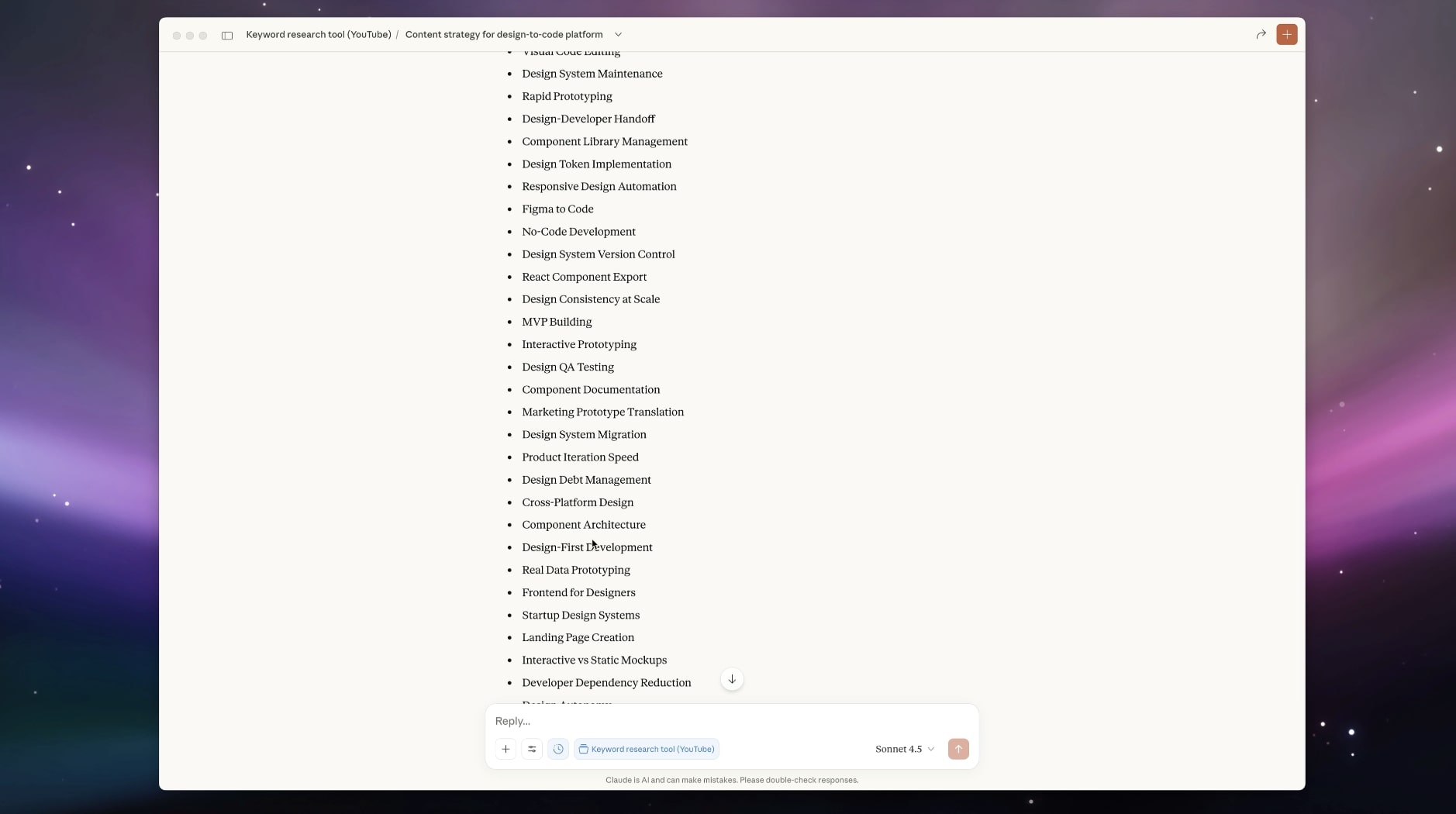
Okay, from this list, I’m going to pick “No-code prototyping”.
Now, based on this topic, we are going to ask Claude to give us keyword ideas across each stage from the APTK Framework. We don’t want to just blindly follow the keywords, because LLMs can’t tell if a keyword is actually in demand and being searched (at least not today).
We just want to do this 3rd (and last) prompt to get our brain thinking of potential keywords ideas that we will validate in step 3.
Here is the last prompt to generate keyword ideas (make sure to edit with your topic):
Replace, your topic with the placeholder and then press enter in Claude (or ChatGPT or whatever LLM of choice).
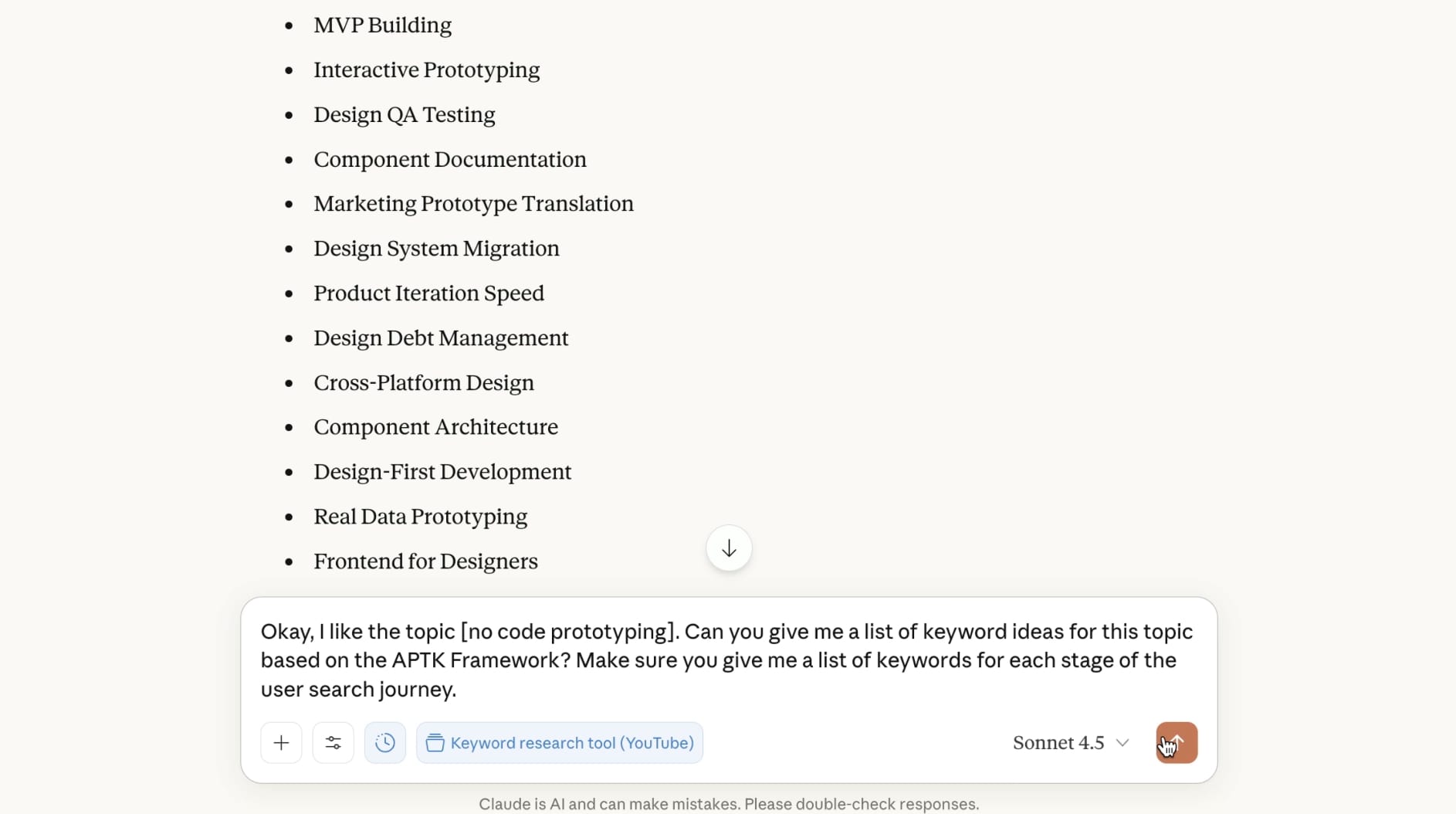
Now, we have a list of potential keyword ideas.
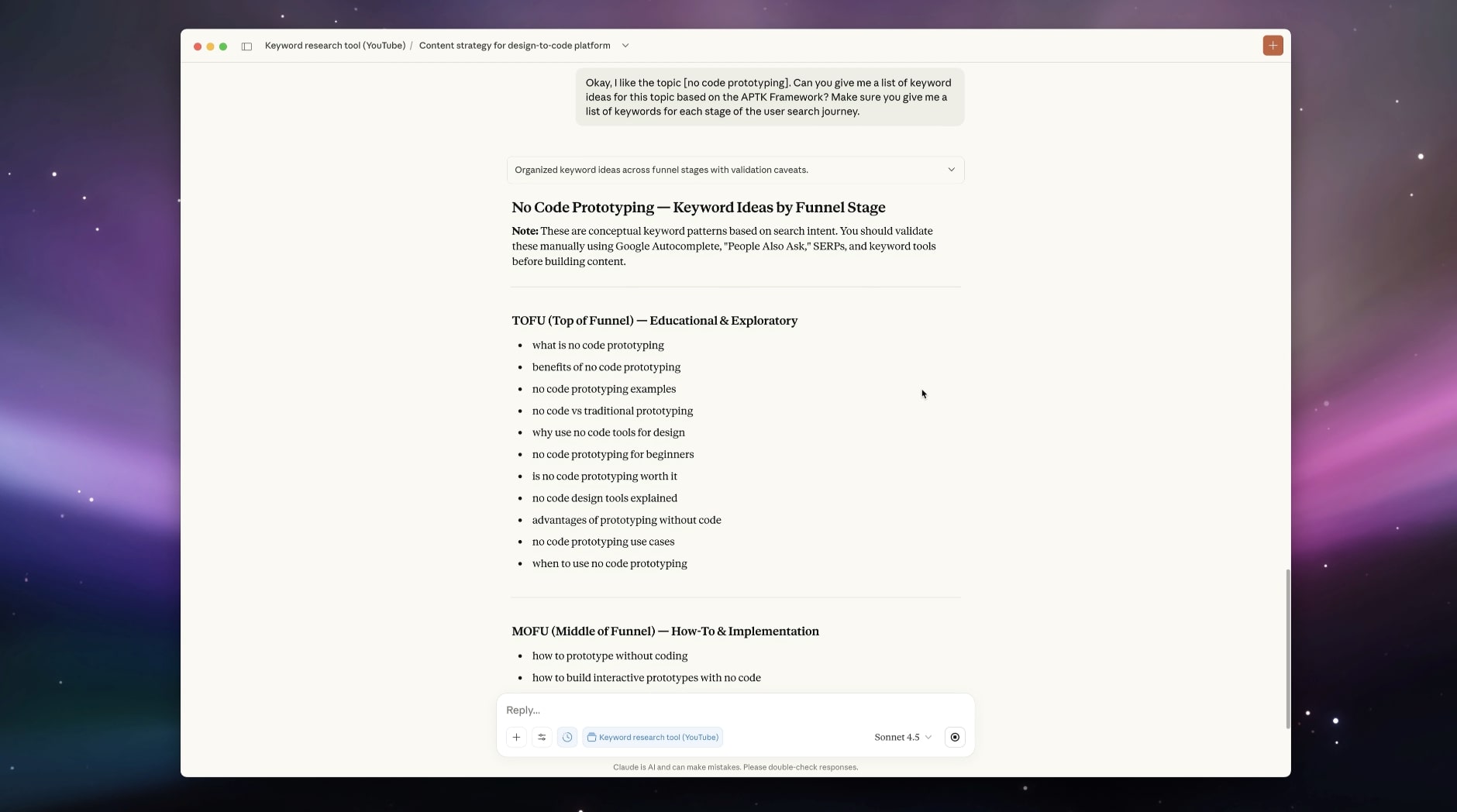
Keep Claude open and now it’s time to validate these and add them to our keyword list.
3. Use Google/Bing/Perplexity autocomplete to find keywords
The next step is to start prioritizing the exact keywords we want to go after. Open a Google Sheet, Notion, or whatever project management tool you want to keep track of your keyword ideas.
I’m just going to use Google Sheets.
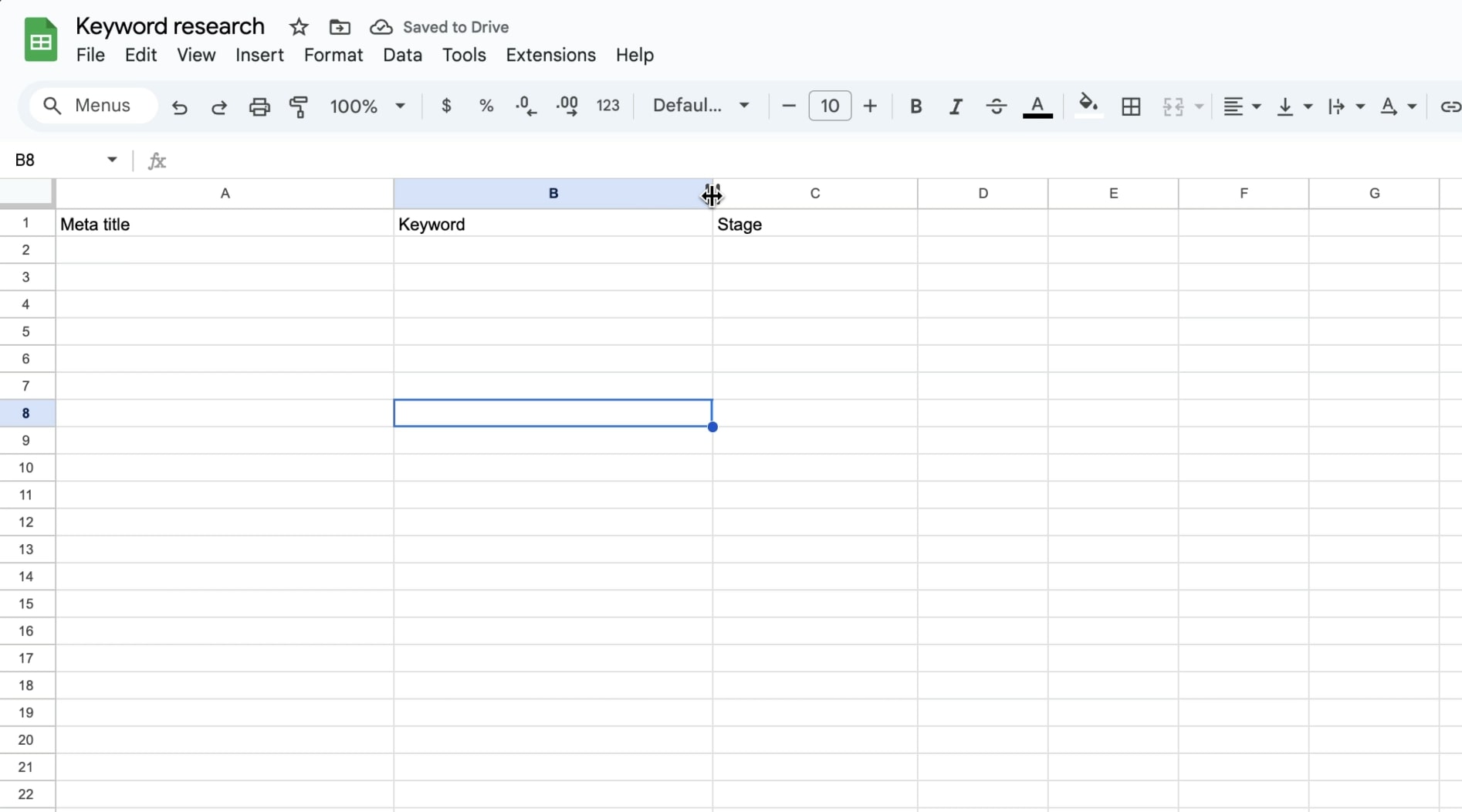
Now, keep this open but it’s time to go back to our Claude keyword ideas.
I always recommend starting with MOFU and BOFU keywords first. We want to go after our “money keywords” first. The TOFU keywords matter to because covering a topic in depth, even if it doesn't directly lead to a sale is how we will build topical authority and get our money keywords to rank high over time.
But I like to start with MOFU and BOFU keywords first because they are core pages and it will help us build momentum in our strategy. Also, if you work with clients, like I do, it will show that you aren’t just creating vanity content. You are creating content that will genuinely help a businesses bottom line.
In this case, let’s look at Claude and explore this idea: best no-code prototyping tools
This, by itself, seems like a good keyword. But we want to validate if people are actually searching for it. And I don’t mean firing up a keyword research tool like Ahrefs or Semrush (yet).
We are going to use the best free keyword research tool out there, Google Autocomplete.
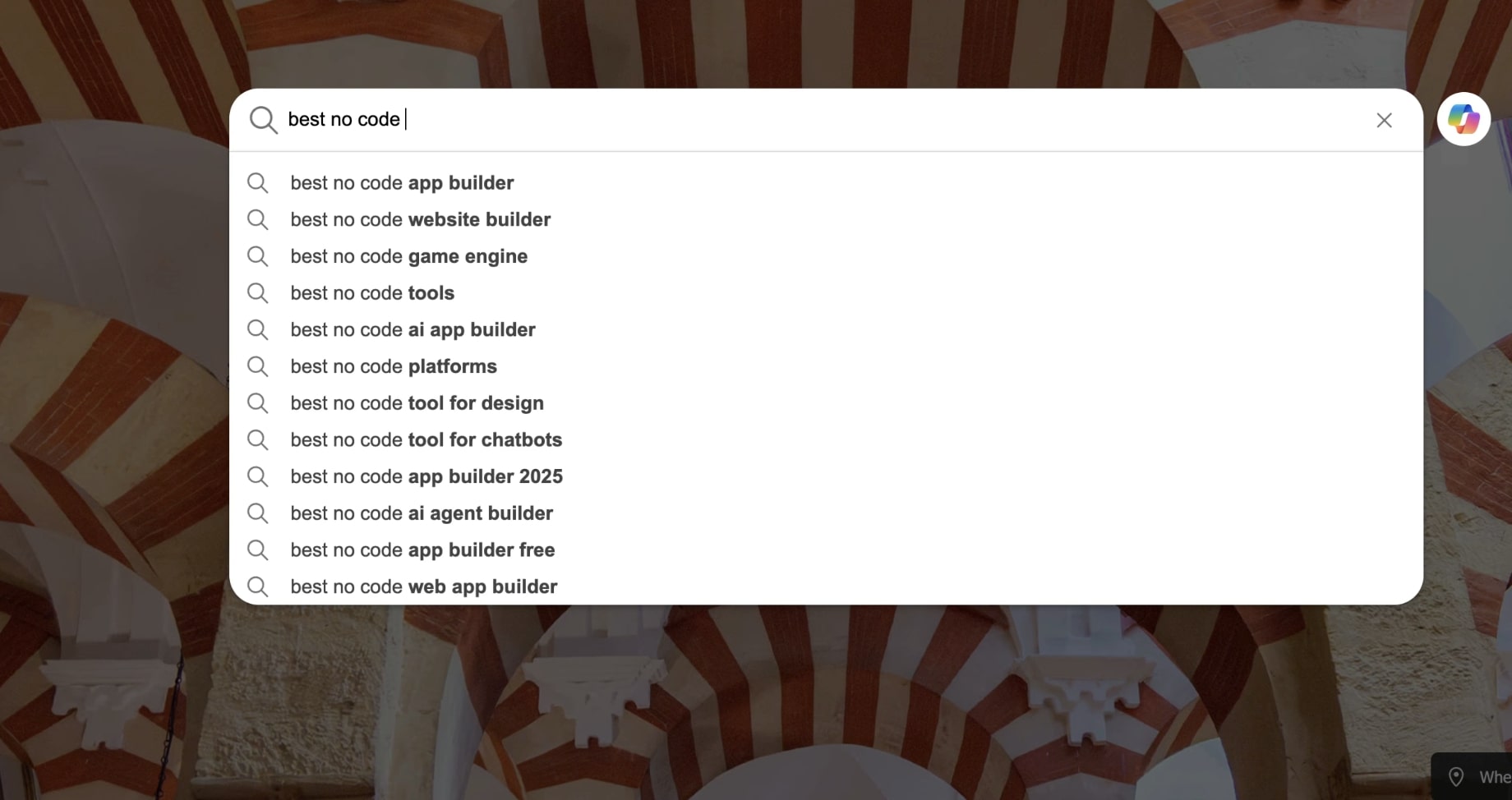
Go to Google, in an incognito/private window (so it doesn’t have any history of our previous searches), and start slowing typing out the keyword you got from Claude.
The idea is that Google will autocomplete keywords that people are searching for in real time. We don’t care about exact search volume here, because often these automated searches will not show a lot of data if they’re trending or new topics (which is actually great cause other SEOs won’t be going after them).
But if it autocompletes, it means people are searching for it right now.
So let’s start typing the keyword “best no-code prototyping tools”. If it autocompletes exactly as is, then it is a good keyword. If it doesn’t, then we need to iterate.
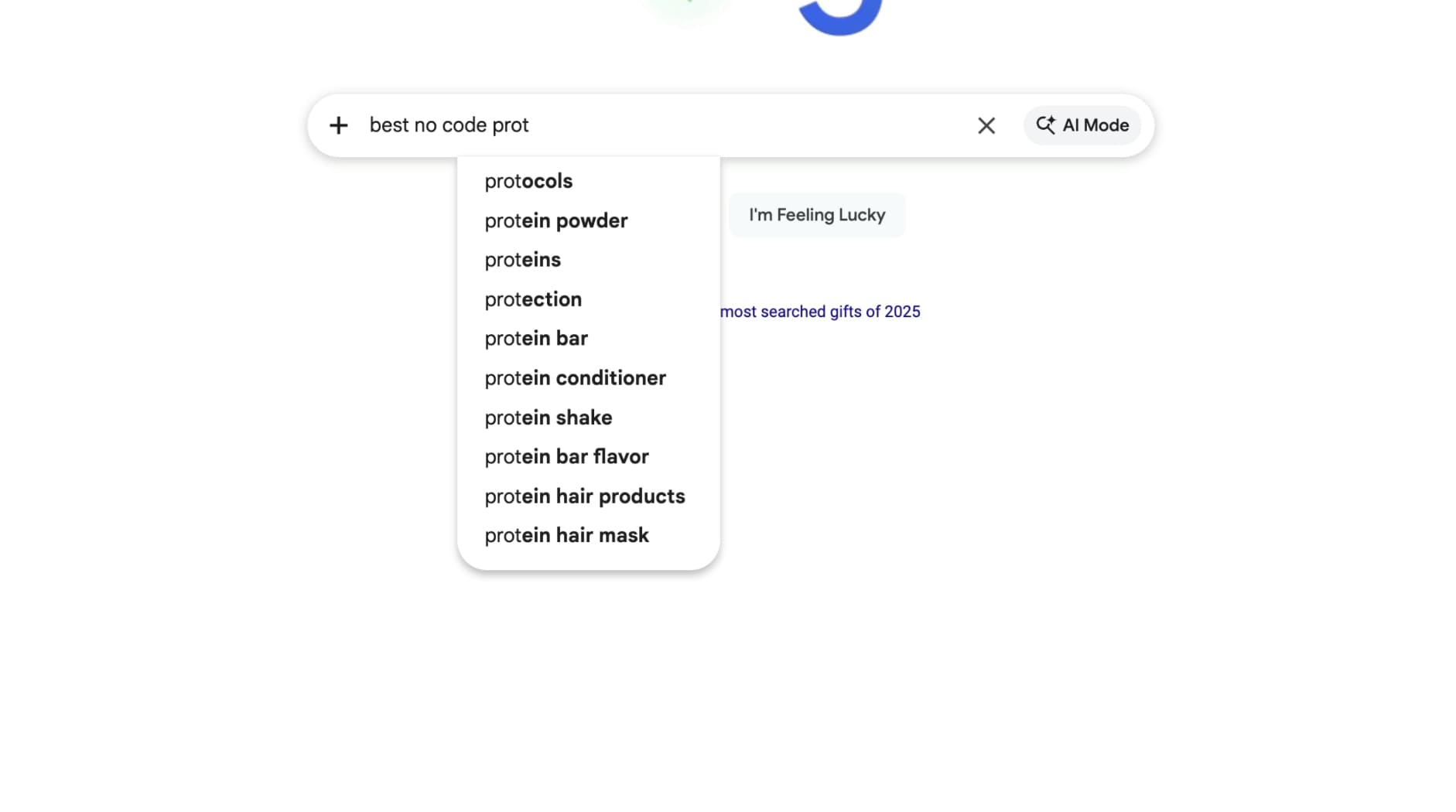
As you can see, Google did not autocomplete this keyword. So it’s not a good candidate. But, it did start to autocomplete some other stuff before I typed out the full keyword.

One keyword here that stood out was “best no code ai app builder.”
Great keyword, let’s add it to the list in Google Sheets.
Now, we can search this keyword and look at the results. This will show us if anyone is directly targeting this exact keyword. And we can see that no one is optimizing for it specifically, perfect!
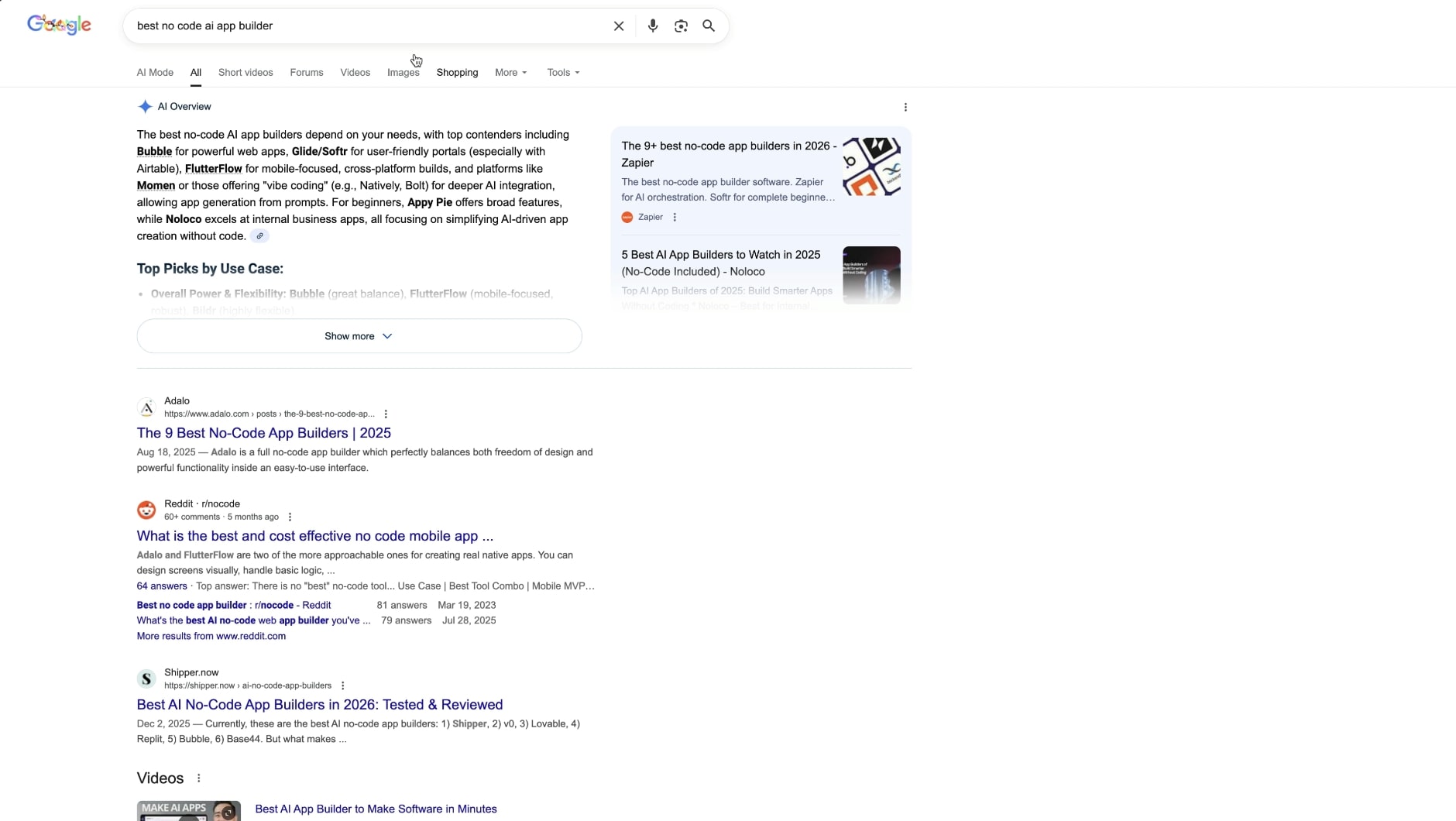
We can see that some no code AI app builders include tools like Adalo, Bubble, Webflow, and Softr.
These are great, because now we can also generate more BOFU keywords based on this. Go back to Claude and give it this context:
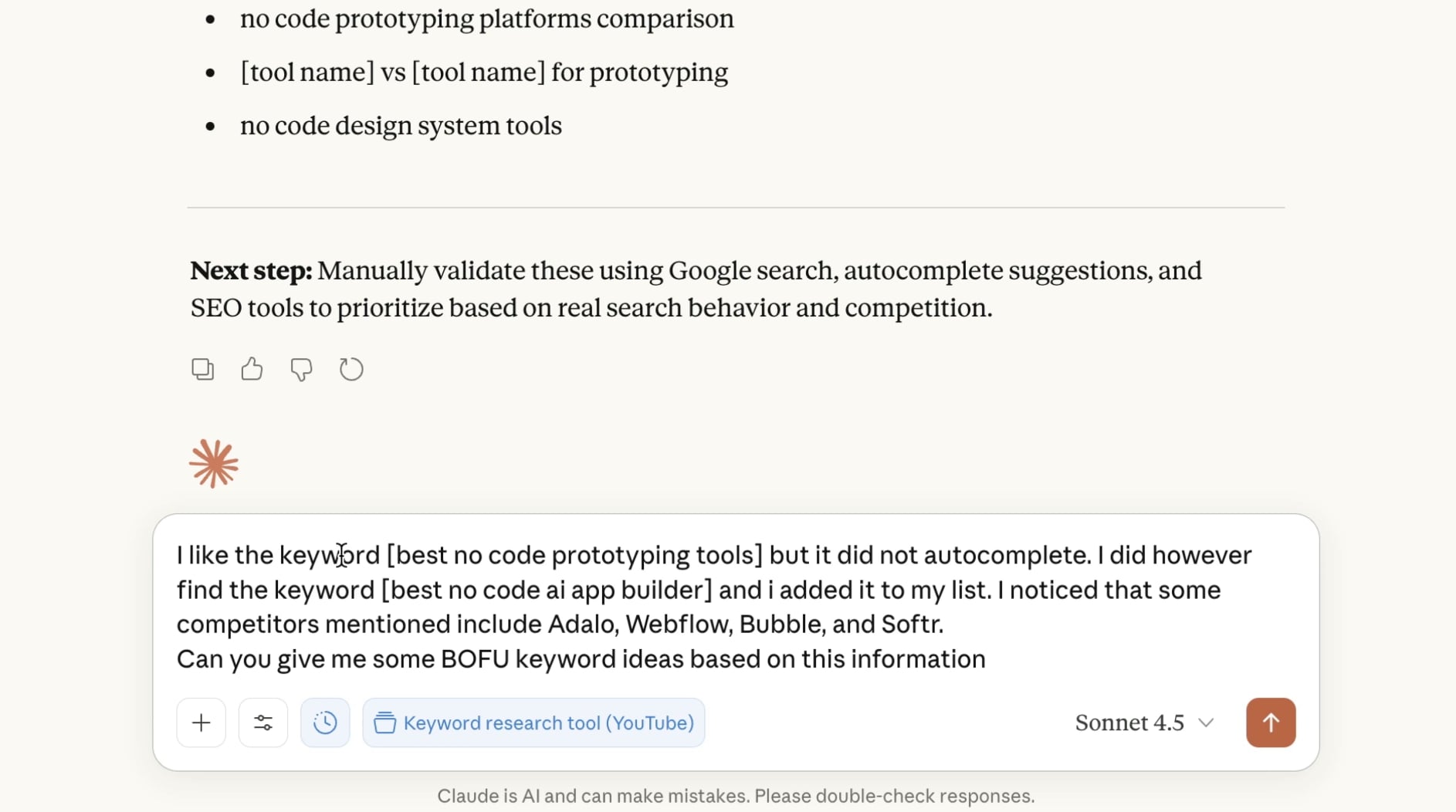
I like the keyword [best no code prototyping tools] but it did not autocomplete. I did however find the keyword [best no code ai app builder] and i added it to my list. I noticed that some competitors mentioned include Adalo, Webflow, Bubble, and Softr. Can you give me some BOFU keyword ideas based on this information.
Remember: Claude is primed on the APTK Framework, so it will be smart enough to figure out more ideas as you talk to it.
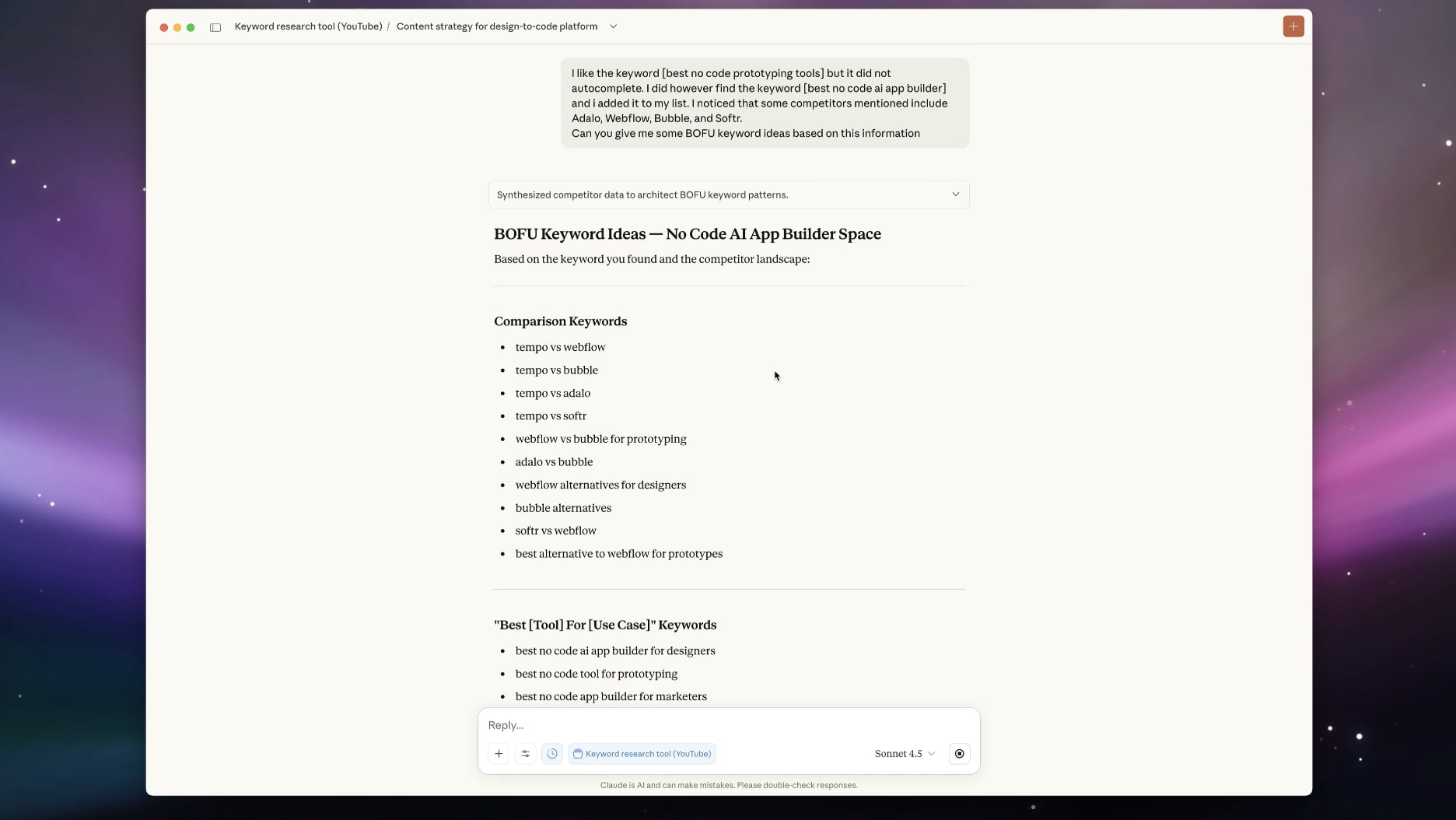
Now, I can see a good keyword idea around “Adalo vs Bubble”. This can be a great candidate because if we write an article about this topic, we can insert Tempo Labs as an alternative to both for the reader.
But, let’s validate with autocomplete.
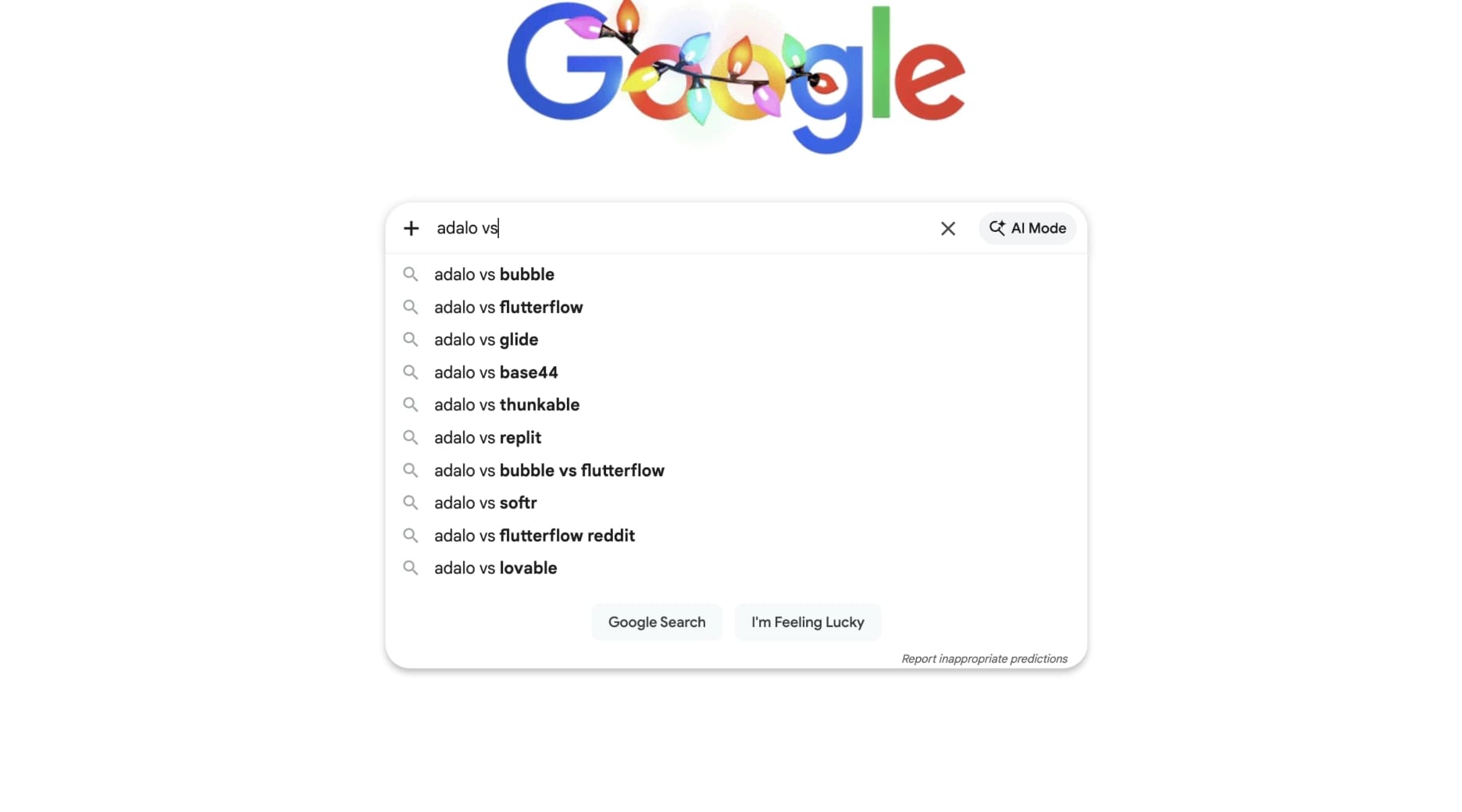
And as you can see it is populated! Great keyword, let’s add it to the list. There are also some other keywords that showed up before, like “Adalo vs Base44”, which are also great candidates so let’s add that too.
Generally, the higher something shows up in Google Autocomplete, the more it’s being searched.
Cool, now we have a few keyword ideas in our Google Sheet:
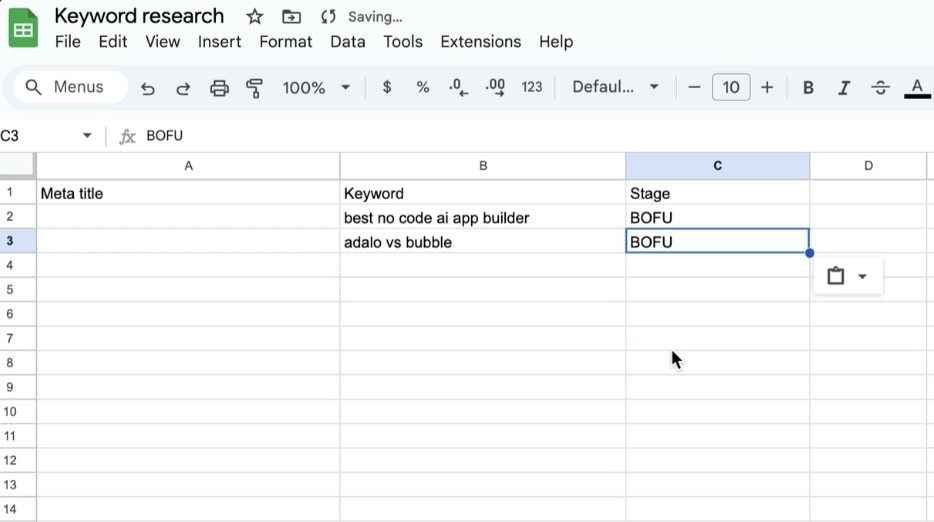
And all we do is keep repeating this process.
Basically, we:
- Used Claude to help us find topics
- Picked a topic and asked Claude for some keyword ideas
- Validated which ones are actually being searched (or variations of them)
- Added them to our list of keywords to target
This is pretty much it. And these days, this is my main keyword research strategy.
You can also use Bing and Perplexity autocomplete to see double and triple verify that the keywords are actually being searched.
But, this is one way to do keyword research. Albeit, the best in my opinion. There are two other ways that we’ll look at now.
Step 4 is geared towards AEO (answer engine optimization) and a great way to see what LLMs are searching for so you can improve your AI visibility for LLM SEO.
And step 5, is a sort of “spray and pray” strategy you can approach that works great for media and niche blogs that are brand new.
Okay let’s get to those.
4. Look at ChatGPT query fan outs
Everyone is talking about AI search. AEO, GEO, LLMO, LLM SEO, whatever you want to call it.
At its core, LLMs (like ChatGPT or Claude) are not search engines. They’re Large Language Models. But they can do web searches to help their users search things. And I don’t think SEO’s should turn a blind eye to them.
Figuring out how to do SEO for LLMs is tricky. Mostly because there currently is no AI visibility tool that can act as a keyword search tool and tell you how many people are searching a prompt (or if they’re searching it at all).
It’s all an educated guess.
So based on the topics you generated in Claude, you can ask Claude to give you some prompt examples people might be searching for. Or you can come up with ideas yourself if you have deep knowledge of the niche you’re in (or you can ask existing customers).
I simply asked Claude: Give me prompt ideas for someone searching for "best no code ai app builder".
And it gave me: What is the best no-code AI app builder?
Now, let’s go into ChatGPT.
We want to use ChatGPT here because it’s the most common LLM people use, most of searchers are there.
I like to do this in an incognito window without being logged in to ChatGPT so it doesn’t tailor results based on my past chat histories.
Search the prompt in ChatGPT.
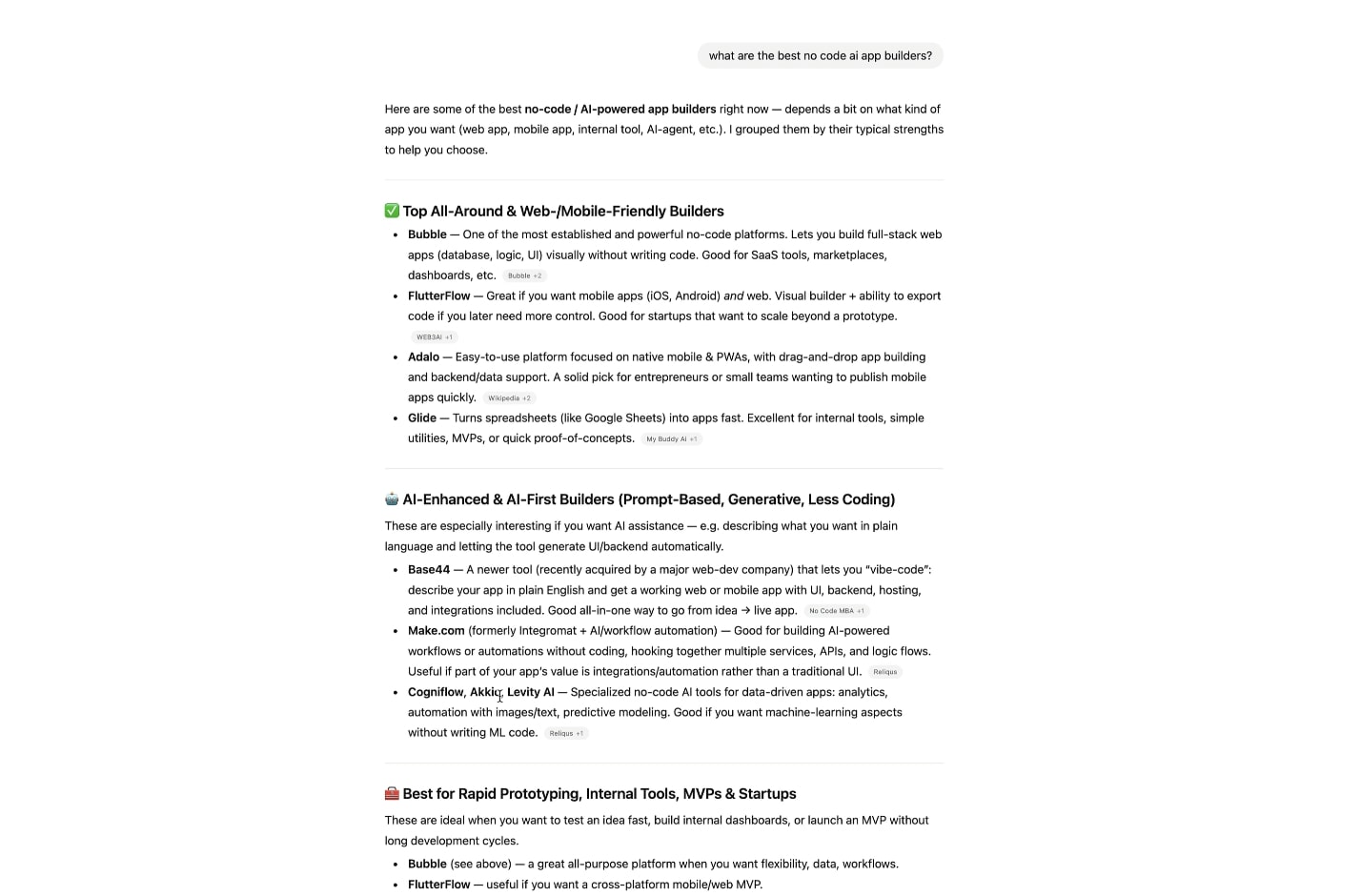
When I hit search, for a brief moment, you can see that ChatGPT does a web search. This will only work for prompts that trigger a web search, which generally happens for BOFU type keywords.
You’ll see that ChatGPT gives us a list of the Tempo Labs competitors. But what did ChatGPT actually search to find these sources?
When you type in a prompt in ChatGPT, that triggers a web search, it does something called a query fan out. It’s a fancy way of saying that it breaks down the prompt into keywords and searches them individually.
Then it takes the information from all the sources in those searches and aggregates them into what you see as the final answer generated in ChatGPT.
If we can uncover the keywords in the query fan out, it can help us get ideas for what keywords to add to our Google Sheet.
There is a full guide on how to do this you can read here.
I won't go into full detail here, but you can watch me do it in the YouTube video I embedded above on this topic. You can also read this newsletter edition I wrote about this.
Basically, you need to inspect the page and you can see the queries that are being searched by ChatGPT in the code:
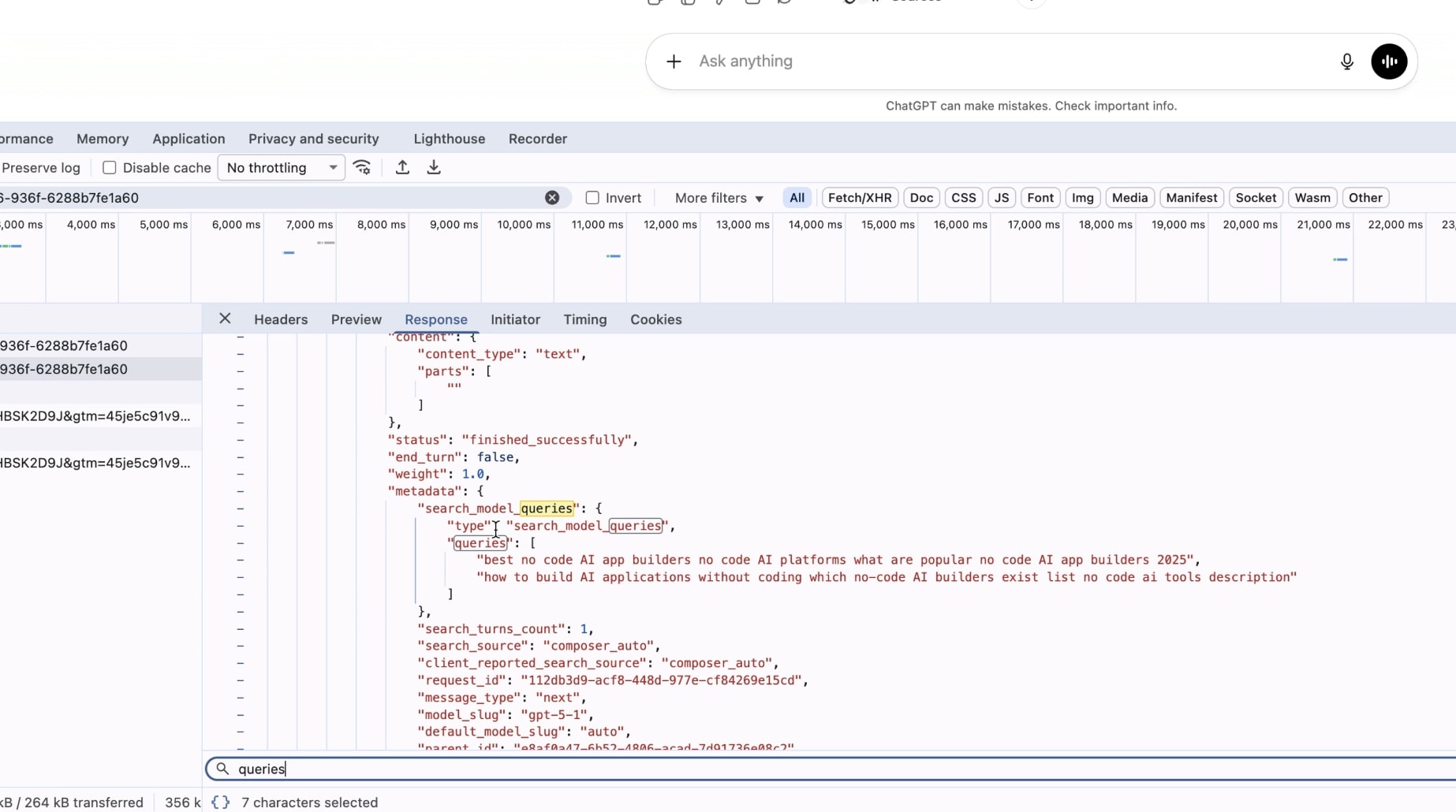
From the prompt “What is the best no-code AI app builder?” we can see that ChatGPT did a web search for:
- "best no-code AI app builder platforms 2025 no-code AI app builders reviews"
- "What are top no-code tools for building AI apps no-code machine learning platforms and comparison"
These are super long-tail keywords. And they can sometimes look a bit wack TBH.
But you can see that our original keyword of “best no code AI app builder” was good for showing up in this search. But that also, we see the phrase “no code AI app builders reviews”.
So this means that we also want to have reviews of specific tools in this space.
This is why the APTK Framework of going after all the keywords in the user search journey is so important.
If we want our brand to show up for this prompt in ChatGPT, our best chance is to cover multiple keywords on different pages on our site. Topical authority is how we have a better shot at showing up for the broader prompts.
We not only need a blog post about the “best no code AI app builders”. But we also need articles reviewing them (review keywords). And we also need articles comparing them (VS keywords).
This information will help us understand how the LLM algorithm works so it can inform our keyword and content strategy.
And honestly, if you focus on the APTK Framework by covering all the topics for general SEO, you will eventually show up in AI search results. So, to me, good AEO is just good SEO, But not every SEO marketer thinks of regular SEO as covering so much depth, so I guess that’s where the traditional SEO’s keyword strategy needs to evolve.
Okay, that’s it.
Now, let’s look at one more keyword research strategy that does require a paid tool. It’s a cool strategy if you care more about growing a blog and getting it off the ground without monetization in mind yet.
5. Go creative mode and use filters in Ahrefs or Semrush (optional)
I call this strategy the creative mode keyword research strategy. There are less rules like following a framework. And instead, you just look at competitors and try to find what keywords have search volume but very little competition.
In Ahrefs, we can type in a very short-tail keyword or topic, like “ai tool”.
Then, we want to go to ‘Matching terms’ and mess with some of the filters. The matching terms feature will give us related keywords to our topic.
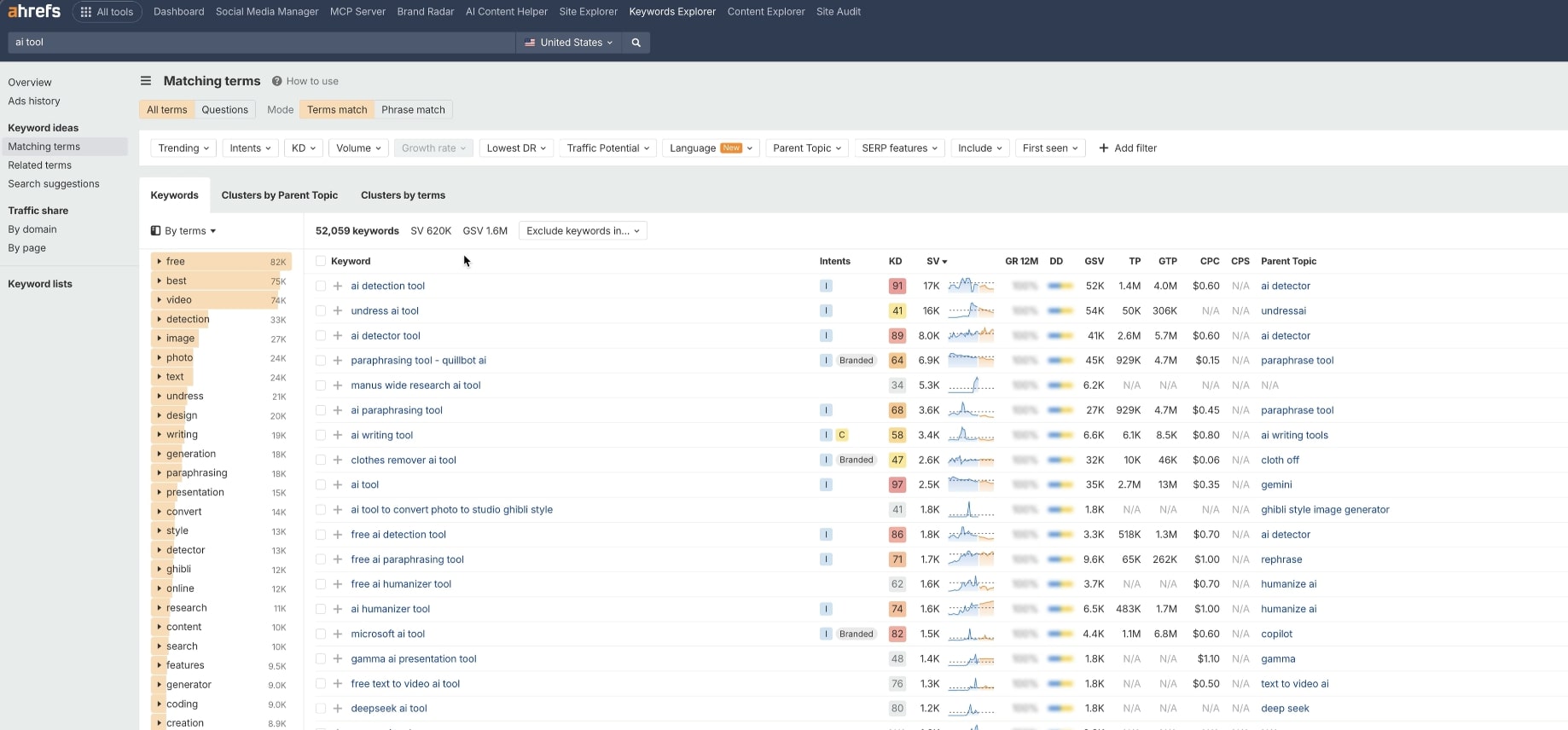
The main filter we first want to play with is the Lowest DR filter. This will allow us to find keyword ideas where the pages that rank for that keyword have a really low DR (domain rating). In theory, if those pages are ranking for that specific keyword, we can also rank for it (with a better piece of content, that is).
I like to make the lowest DR to something like 10 or 15, in the top 5 or 10 results on the first page of Google. You can pick whatever you want. Remember, we are in creative mode!
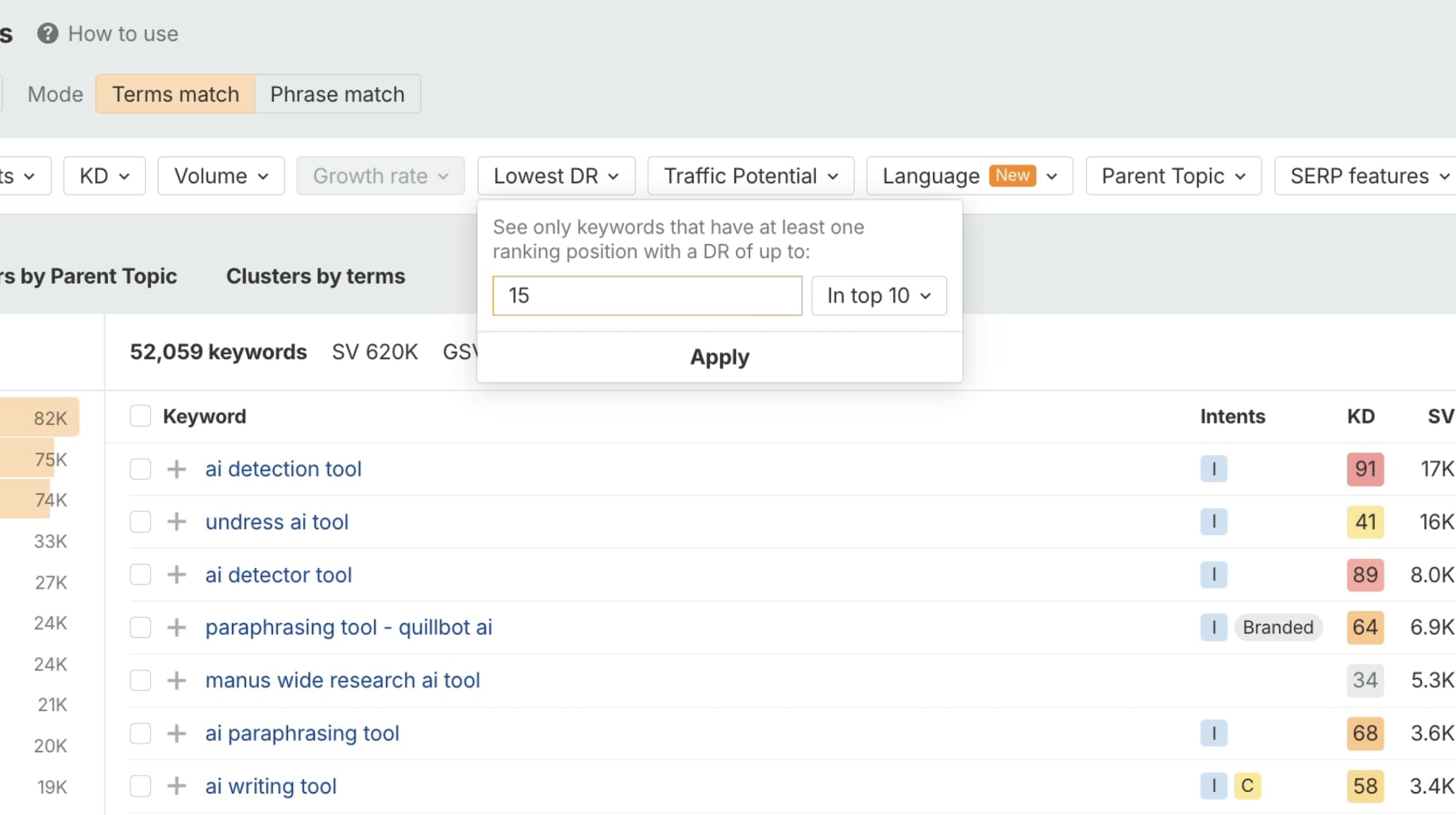
Most of these keywords won’t make sense. And in the software niche, it’s generally hard to find good keywords using this strategy. I’d stick to the Google autocomplete strategy from before.
But if you’re in a consumer niche or trying to build a media company in a less competitive niche (where there’s not a lot of SEO knowledge), this is a great strategy.
Either way, I can see this promising keyword for the search I did: “ai interior design tool”.
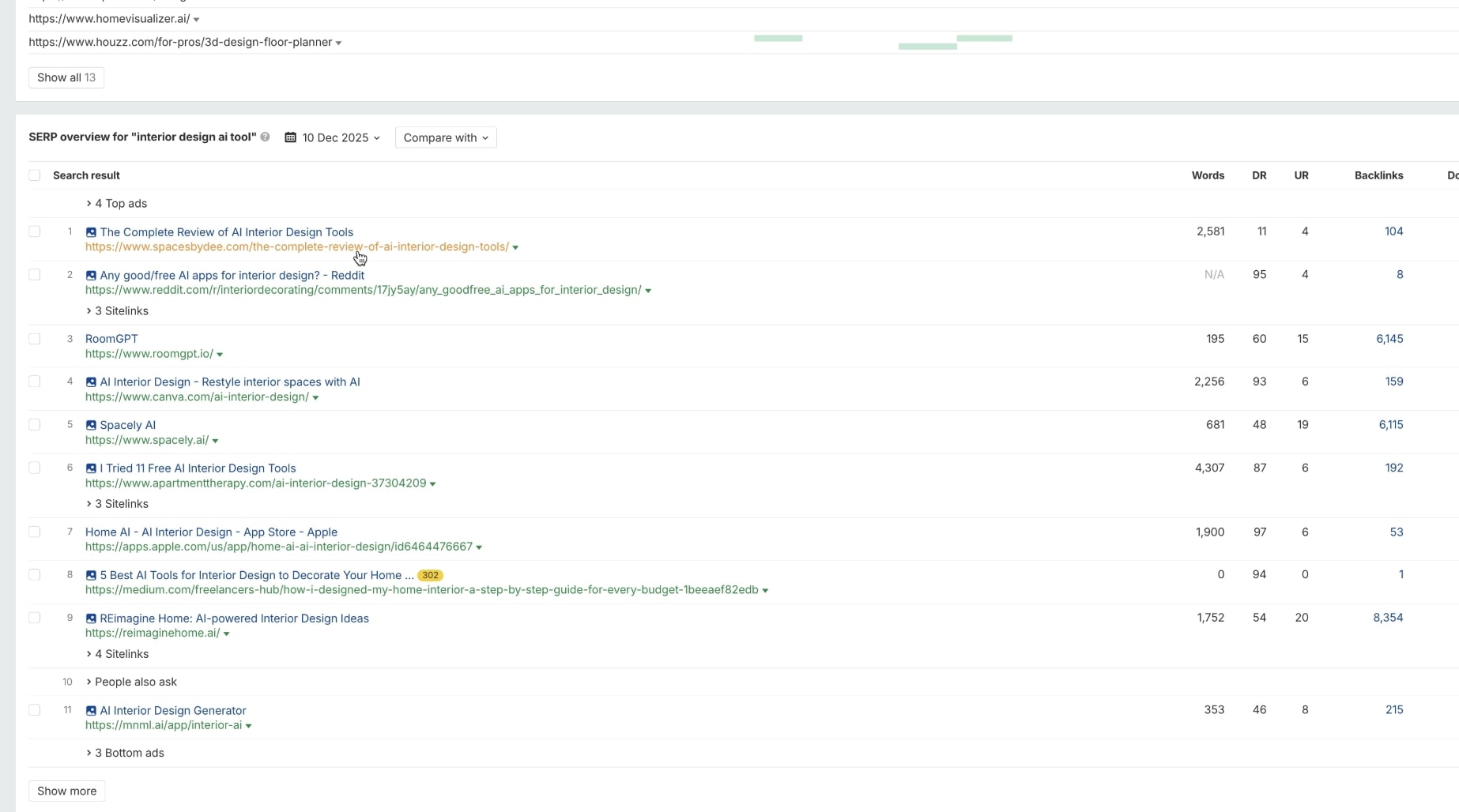
And if I analyze the SERP, I can see that the first page is actually a DR of 11! Super low.
So this could potentially be a good keyword to go after, if we write a great SEO-optimized article.
Again, rinse and repeat this for your own industry.
But there is one more strategy we can use. This is essentially the way I did keyword research before I fully developed the APTK Framework and LLMs came out. It’s doing the same matching terms feature in Ahrefs, but using modifiers to get ideas.
I talked about this in my OG SaaS content marketing guide. You can use these modifiers:
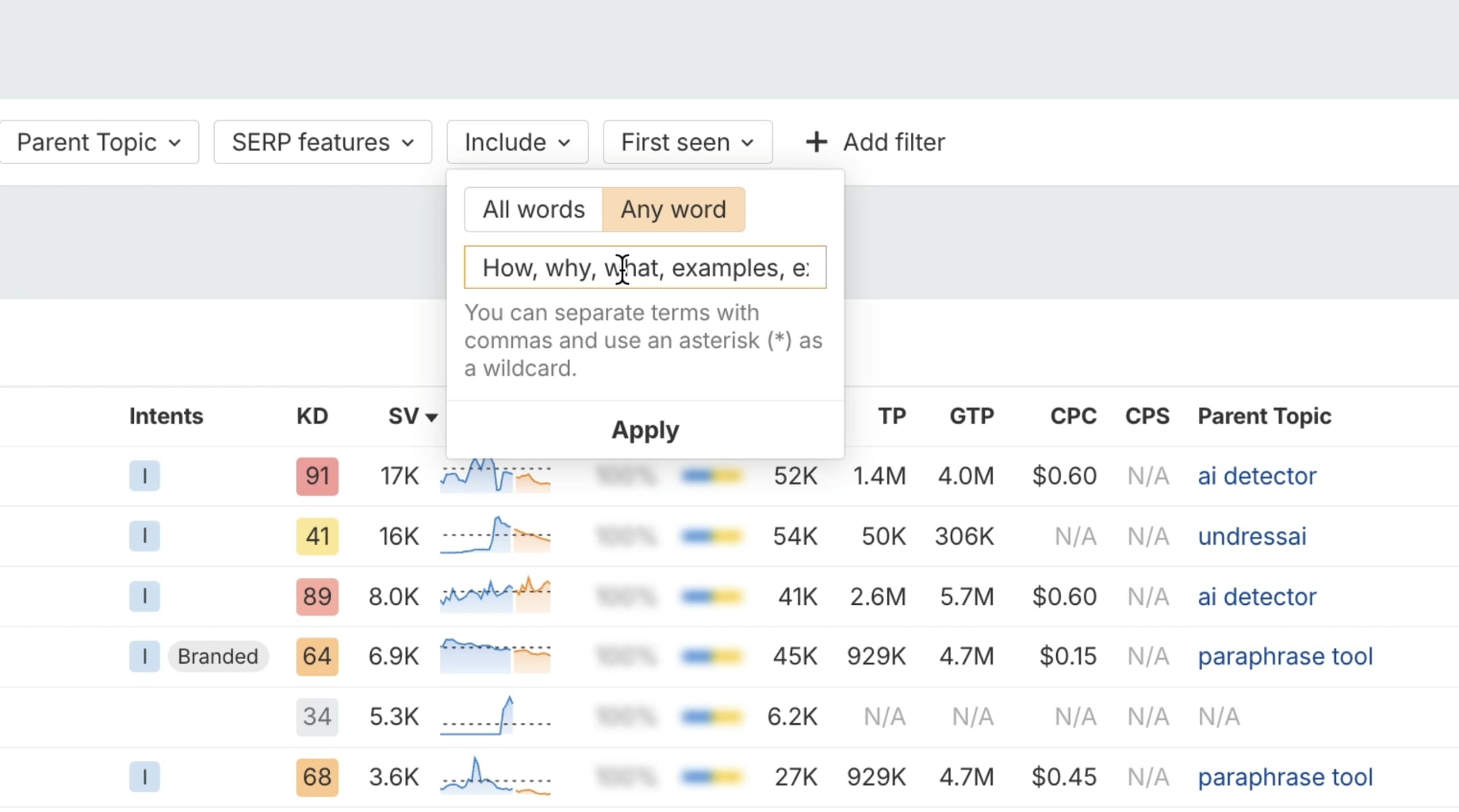
When in the matching terms section of a topic you searched, go to Insert -> Any word and paste in the above modifiers.
And now you can see a list of keyword ideas:
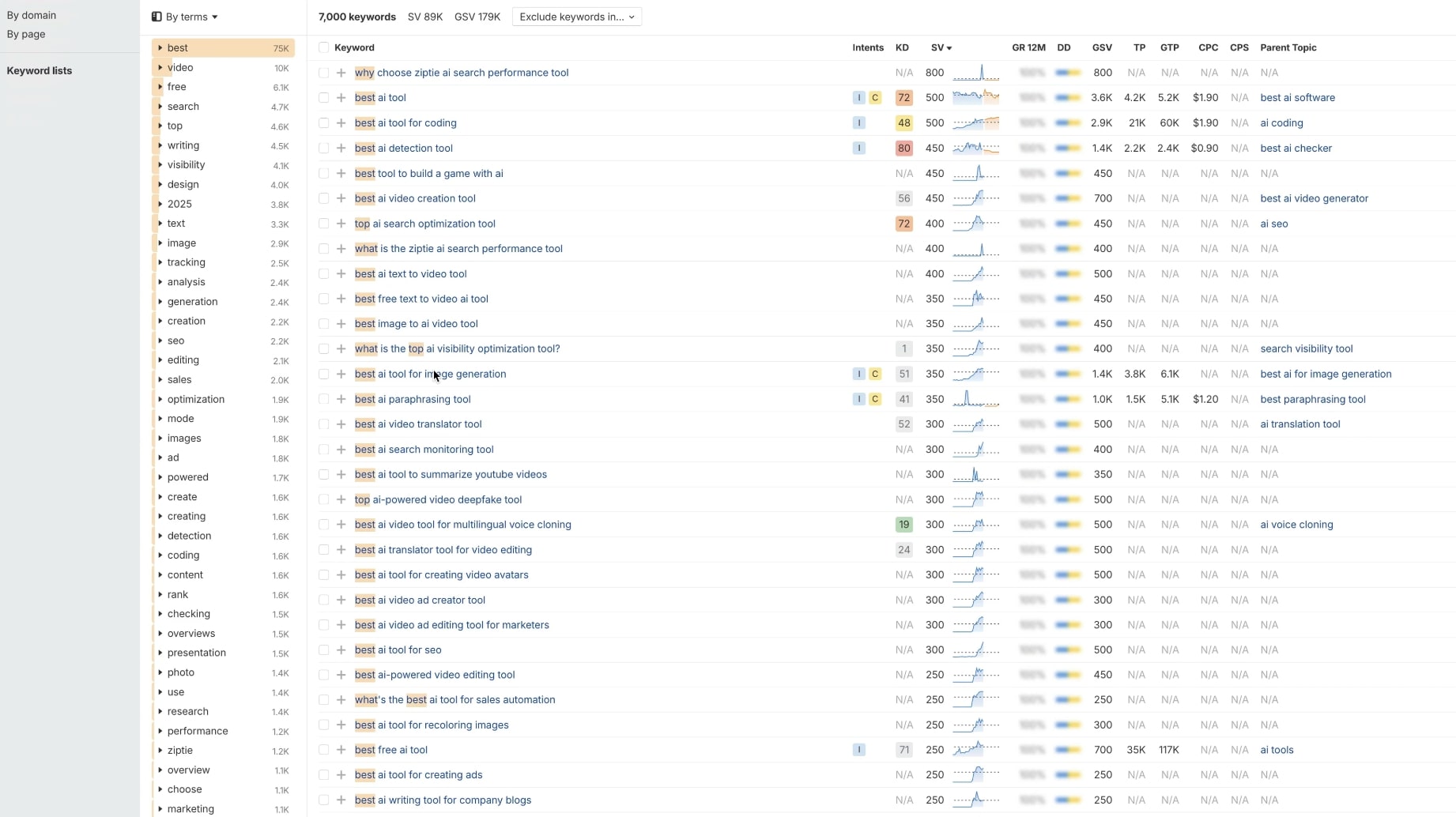
The APTK Framework prompt from above that we added as instructions in our Claude Project has this built in. But this is the manual way I used to do it.
It’s great to see keyword ideas across the different TOFU, MOFU, and BOFU keyword formats. It’s also cool because, unlike using an LLM to generate these ideas, we can see the estimated search volume.
But, there’s a caveat.
Most SEOs do this strategy. So, chances are, you’ll be targeting the same keywords your competitors are.
I’d much recommend double checking them with the Google Autocomplete strategy and only going after the exact keywords that autocomplete. Ahrefs and other SEO tools can sometimes show later data, so it may not reflect the search behavior of people right this second.
Anyways, that’s it!
I hope you learned something from my SEO keyword research strategy guide. :)
In the end, there are lots of ways you can do keyword research. You can go as far as looking at what your competitors are ranking for, in a keyword research tool like Ahrefs or Semrush, and add those to your Google Sheet as well.
But I don’t like to look at competitors. I don’t do it for my own projects or my client sites. Mostly because I want to pave a new way and using the step 3 of this guide is how I’ve been able to outrank huge billion dollar brands as a one-person team.
So instead of looking at your competitors. Understand your core audience, the problems your product/service solves, and figure out the user search journey. And focus on that only. Over time, you’ll find that others start to copy you, but you’ll be way ahead of them because you approached keyword research in a way that only the top 0.01% of SEOs do.
Can I use ChatGPT for keyword research?
Yes, you can use ChatGPT for keyword research, but you should only use it to explore ideas for content themes you want to cover. You should not use LLMs to discover exact keywords you want to go after.
This is because LLMs can’t tell if a keyword is actually in demand. They can tell what the search volume for a specific keyword is or if you actually have a chance of ranking for it. Sure, you can use and MCP server integration to help combat this, but on their own, they are not good traditional keyword research tools.
I would use LLMs to help you understand search intent around a specific keyword, or to help you find topic pillars. From there, you want either use Google Autocomplete + Google Keyword Planner (if you want a free option) or use Ahrefs/Semrush if you have the money for a paid SEO tool.
You can also use ChatGPT to help you get keyword ideas based on existing content on your website. For example, you could export your Google Search Console data and feed it to ChatGPT to help you find content gaps and where you can expand on.
Conclusion
And there you have it folks! That's everything you need to know about how to do keyword research.
To recap, here are the five steps:
- Step 1: Understand keyword formats (TOFU, MOFU, BOFU) so you know what you're looking for before you open any tool
- Step 2: Set up Claude with the APTK Framework to generate topic clusters and keyword suggestions based on your audience and product
- Step 3: Validate keywords with Google Autocomplete to see what people search for in real time
- Step 4: Look at ChatGPT query fan outs to understand how LLMs find sources and what search terms they use
- Step 5: (Optional) Use Ahrefs or Semrush to find new keywords with low keyword difficulty that competitors might be missing
If you're a beginner, don't overthink it. Start with step 2 and 3. Get your topics from Claude, validate with autocomplete, and add relevant keywords to your spreadsheet. You can also use Google Trends to double check if a search query is trending up or down before you commit to it.
The goal of search engine optimization isn't to rank for every high volume keyword. It's to show up for the queries that matter to your business. The ones that lead people to your product pages. The ones that turn organic traffic into customers.
Don't just use keywords because some tool told you to. Understand how people search and meet them at every stage of their journey.
If you do that, you'll outrank competitors who are still playing the old SEO game. And you won't need to worry about backlinks as much as everyone says you do.
Now go build your content calendar.
agree to our Terms.










Get the weekly newsletter keeping +33,000 marketers in the loop.